How to Spot High-Quality Laptop Power Adapters (and Avoid Dangerous Counterfeits)
When your laptop charger breaks, it is tempting to go online and buy the cheapest one you can find. Most people see the “black brick” as a simple accessory. However, your power adapter is actually a sophisticated piece of hardware. It is the only thing standing between the high-voltage electricity in your wall and the sensitive components inside your laptop.
Using a counterfeit or low-quality adapter isn’t just a bad investment—it’s a safety hazard.
Why a Cheap Adapter is a Bad Deal
Cheap, fake chargers often lack internal safety features. A high-quality adapter includes circuits to prevent overheating, short-circuiting, and power surges.
In contrast, counterfeit manufacturers cut corners to save money. They use thinner wires, poorer insulation, and skip the shielding that prevents electrical interference. This can lead to:
-
Your laptop’s motherboard frying.
-
The battery wearing out much faster.
-
The adapter melting or, in extreme cases, catching fire.
4 Ways to Identify a Quality Power Adapter
If you are sourcing components or buying a replacement, use these four checks to tell the difference between a high-quality product and a dangerous fake.
1. The Weight Test
High-quality adapters are packed with components like copper coils, heat sinks, and capacitors. These parts have weight. If you pick up an adapter and it feels surprisingly light or “hollow,” it is almost certainly a counterfeit. Fake chargers often lack the necessary heat sinks, making them light but prone to overheating.
2. Inspect the Labels and Printing
Look closely at the sticker or the engraved text on the adapter.
-
The Text: On a genuine or high-quality OEM adapter, the text is crisp, clear, and perfectly aligned. On fakes, the printing is often blurry, faded, or contains typos (e.g., “Lapt0p” instead of “Laptop”).
-
The Logo: Counterfeiters often use logos that look almost like the original brand but have slight variations in font or spacing.
3. Look for Safety Certification Marks
Legitimate adapters must pass rigorous testing. Look for marks such as UL (Underwriters Laboratories), CE, FCC, or RoHS.
However, be careful. Many counterfeiters simply print these logos onto the label without actually getting the product tested. A real certification logo will be cleanly printed. If the “CE” mark looks like it was added as an afterthought or is shaped incorrectly, stay away.
4. Examine the Cable and Connector
The build quality of the cable says a lot about the internals.
-
Flexibility: Quality cables are flexible but sturdy. Cheap ones often feel stiff or “plastic-y.”
-
The Connector: Look at the metal tip that plugs into your laptop. It should be smooth, with no jagged edges. It should fit snugly into your charging port without wiggling. If it feels loose or too tight, the manufacturing tolerances are poor.
Technical Specs: Don’t Just Guess
Even if an adapter is “high quality,” it must be the right quality for your specific machine. Always verify the following three things:
-
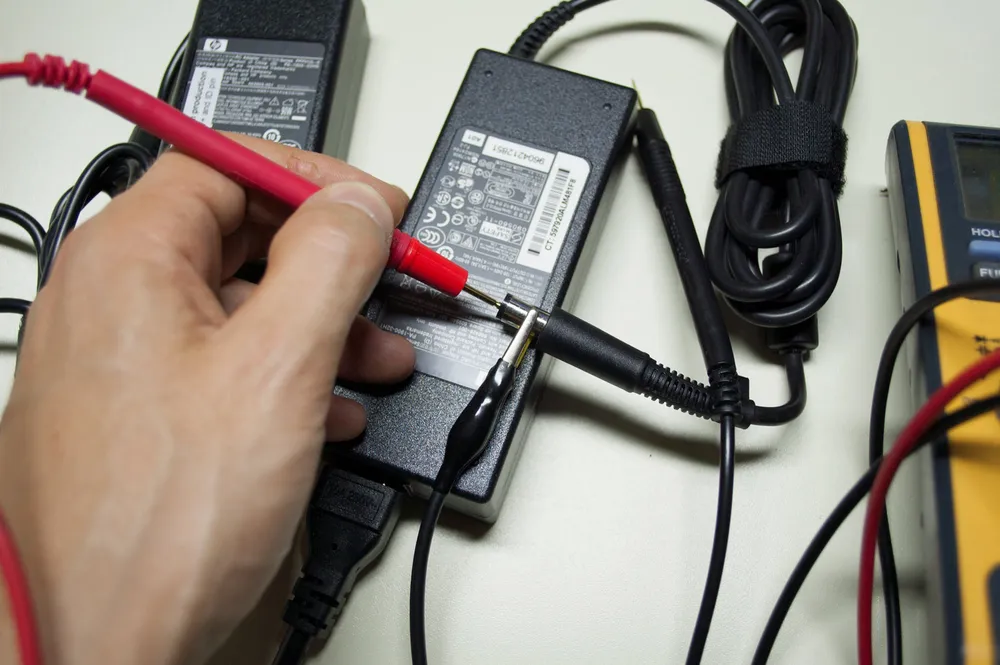
Voltage (V): This must match your laptop exactly (e.g., 19.5V).
-
Amperage (A): This can be the same or higher than your original charger, but never lower.
-
Polarity: Ensure the positive and negative symbols on the diagram match your laptop’s requirements.
The Bottom Line
A $1,000 laptop is a major investment. Saving $10 on a “no-name” charger from an unverified source is a huge risk. High-quality adapters might cost a bit more, but they provide peace of mind, protect your hardware, and ensure your laptop stays powered safely for years.
Always source your laptop components from a reputable supplier who can guarantee the quality of their stock.